Installing inside a virtual machine
Prerequisites
Section titled “Prerequisites”In short: you need a virtualization environment that supports UEFI and TPM 2.0.
We recommend using qemu, libvirt and virt-manager and will use them for this guide.
Especially important are edk2-ovmf for UEFI support and swtpm for TPM support.
Depending on your distribution, they may be dependencies of the previously mentioned packages.
We found that using the virt-manager flatpak with the QEMU extension was the easiest way to install the whole virtualization stack.
Installation
Section titled “Installation”-
Download and decompress AstrOS:
Terminal window unzstd AstrOS-installer_latest_x86-64.raw.zst -
Create a new machine and select
Manual install: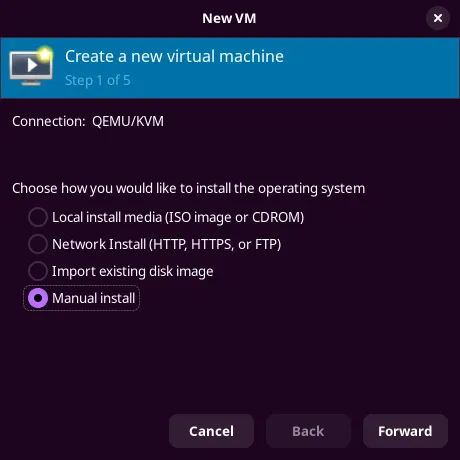
-
Complete the setup by selecting Arch as the distribution, allocating sufficient memory and CPUs, creating a virtual disk image with at least 30 GB of Storage, and most importantly, ticking the
Customise configuration before installbox. -
In the
Overviewsection, change BIOS to UEFI firmware. -
Click
Add Hardware, navigate tostorage, tickSelect or create custom storageand search for the AstrOS install image. -
Click on
Add Hardwareagain and add a TPM device. -
Recommended: Enable 3D acceleration.
-
You can now start the installation by clicking on
Begin Installationin the top left.